

Entre outras coisas, as notificações alertam quando você recebe uma nota ou um feedback de uma tarefa ou quando anúncios são publicados. Este artigo explica como configurar notificações em um computador e em um dispositivo móvel usando o Aplicativo Canvas.
Computador
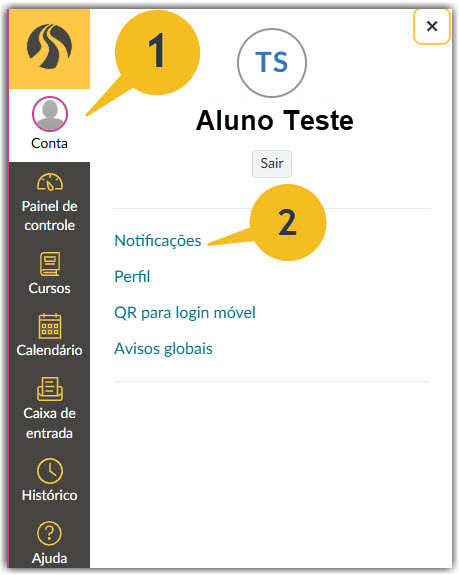
- Clique na sua foto de perfil no canto superior esquerdo para abrir o menu Conta.
- Clique em “Notificações”.
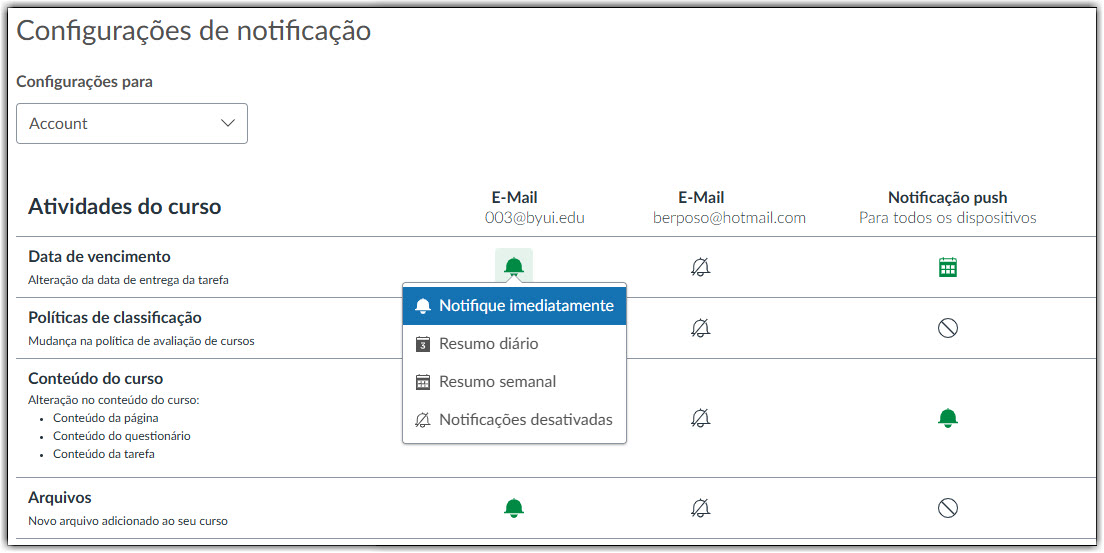
Uma vez no menu de configurações, você pode escolher diferentes opções para notificações por e-mail.
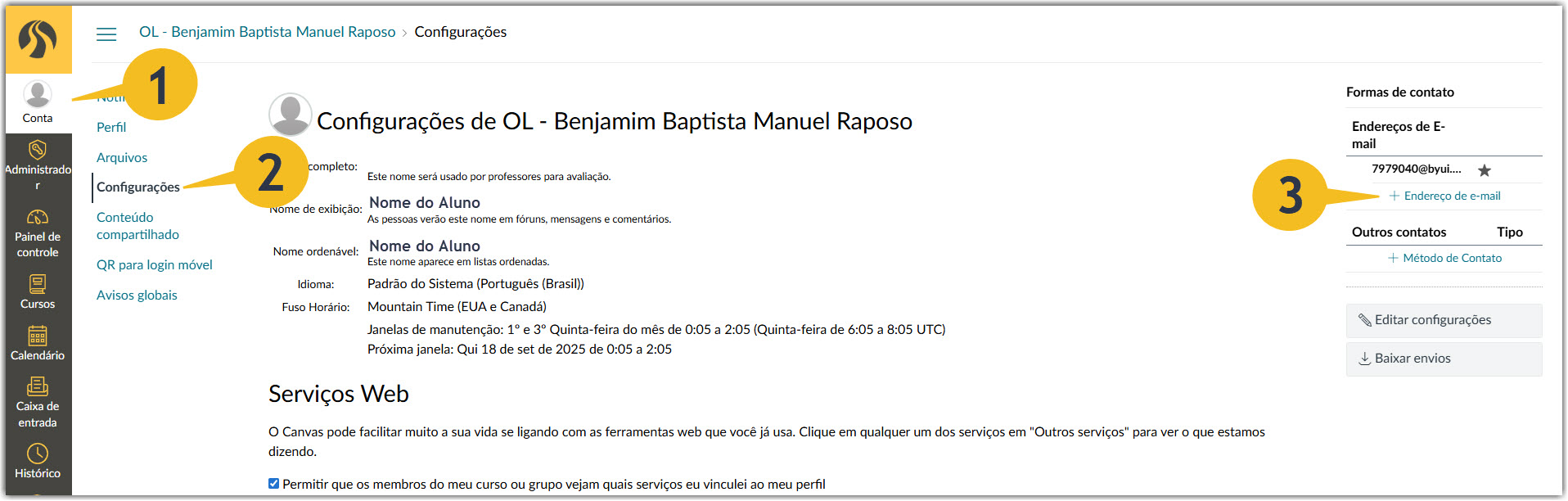
Você pode adicionar outro endereço de e-mail para receber notificações.
- Volte para o menu Conta.
- Clique em “Configurações”.
- Clique em “+ Endereço de E-mail”.
Dispositivo Móvel
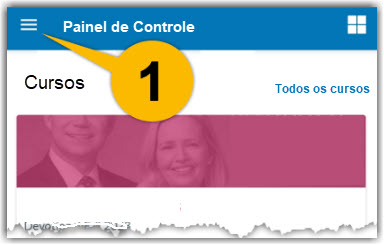
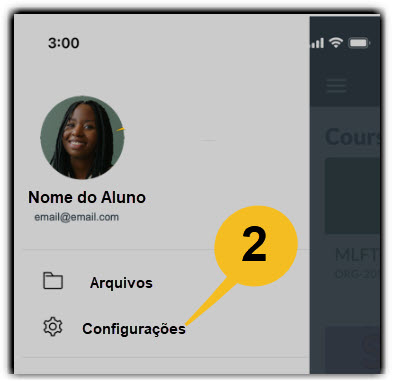
- Selecione o menu de perfil. Aparece como três linhas horizontais.
- Selecione “Configurações”.
- Você pode selecionar “Notificações Push” ou “Notificações por E-mail”.
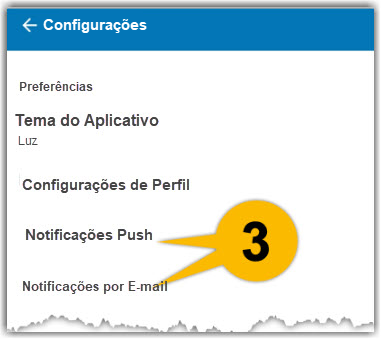
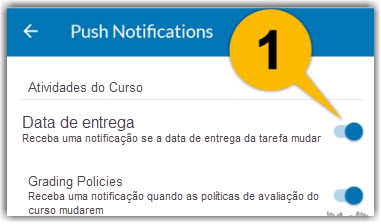
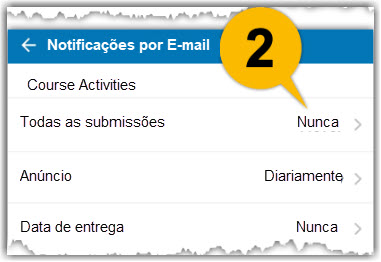
As notificações push enviam mensagens para seu dispositivo móvel. As notificações por e-mail vão para sua conta de e-mail.
- Ative ou desative várias notificações push.
- Configure várias notificações por e-mail.
Observação: Você não pode adicionar outro endereço de e-mail usando o aplicativo móvel do Canvas. Isso deve ser feito em um navegador da web usando um computador ou dispositivo móvel.